

Google Now Has an Off Switch for AI Answers, and a Price Tag. Our Data Says Which One Matters.
Search Console now lets you opt out of AI Overviews and AI Mode, and Google is testing payments to publishers. Our data shows what AI queries do to clicks.
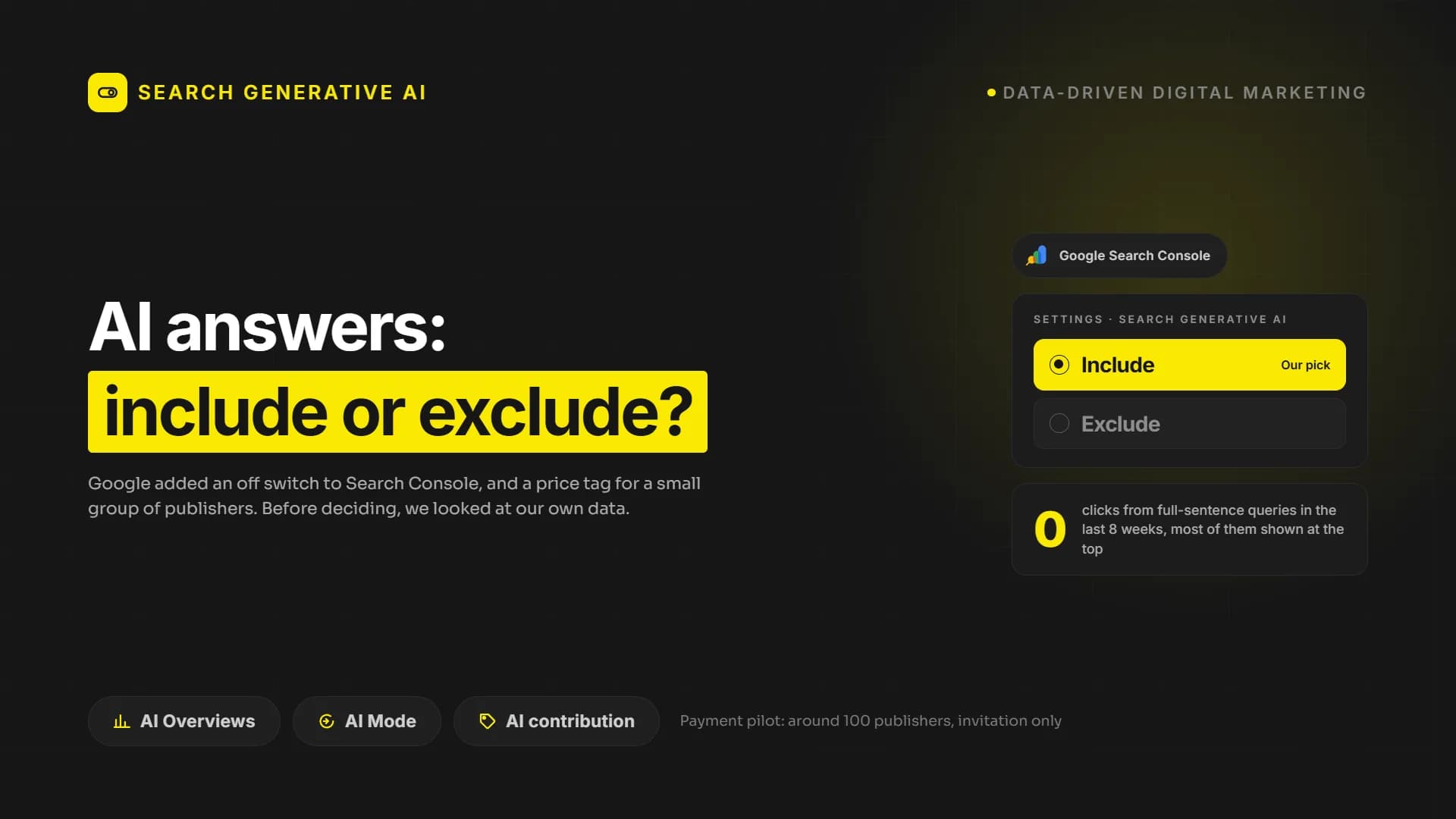
Three things landed in Google Search Console within a few weeks of each other. A report that shows how often your pages appear inside AI Overviews and AI Mode. A setting that lets you pull your site out of those features entirely. And, for a small group of publishers, a monthly earnings figure for content that Google’s AI used to write its answers.
Read together, they answer a question most businesses have been asking since AI Overviews arrived: what is my content actually worth inside an AI answer, and do I have any say in it? Google’s answer is now explicit. You have a say. The worth, for almost everyone, is zero in money and something else entirely in visibility. We checked our own Search Console before writing this, and the numbers below are ours.
What shipped, in plain terms
The report. The generative AI performance report in Search Console shows impressions for your links inside AI Overviews and AI Mode on Google Search, with a separate view for Discover. We covered it when it launched in our article on the Search Console generative AI report. It is now available to every property.
The switch. Under Settings, Search Console has a new control called Search generative AI. It has two states. Include, which is the default and means your content can appear as links in AI features and be used to ground AI responses. Exclude, which removes your site from AI Overviews, AI Mode and the generative features in Discover. Google states that the setting does not affect ranking or indexing in regular Search, takes one to two days to apply, and does not control model training, which still goes through the Google-Extended directive in robots.txt. Google’s help page on the control is short and worth reading in full.
The price tag. Google is running a pilot it calls AI contribution. According to Google’s own help documentation, participating sites earn money when their content contributes significantly to the creation of an AI-generated response in AI Overviews, AI Mode and Gemini. The important detail is in the next sentence: content that only confirms facts, or is linked after the response has been generated, does not count. Earnings appear as a monthly figure in Search Console. Google has not published how the figure is calculated. Industry reporting puts the pilot at roughly one hundred publishers, invited by Google, and describes the typical payout as small. There is no application form.
So the payment exists, but it is not for you, and it is not for us. What is for everyone is the report and the switch. That is where the decision sits.
What our own Search Console shows
We keep a daily archive of our Search Console data, so we can see things the standard sixteen month window hides. Here is one thing we noticed this fall.
Queries that read like full sentences, the kind a person types into an AI assistant rather than a search box, started showing up in our query list. In June we had two of them. In July, six. In August, seventy five. In September, twenty six. These are the top hundred queries per day, so the real count is higher.
Some examples, exactly as they appear in the report:
- “which content marketing agencies are best at structuring content for easy citation by ai systems?” Best position 6.
- “how can i grow brand mention share in ai search?” Best position 7.
- “can a hubspot reseller help with licensing strategy across hubs?” Best position 2.
- “agencias recomendadas para implementar estrategias basadas en datos” Best position 6.
- In Turkish: “şirketimi yapay zeka motorlarında görünür kılacak bir danışman ya da ajans önerir misin?” Position 1.
Across every full-sentence query in the last eight weeks, the total number of clicks is zero. Not low. Zero. Our pages were shown for these questions, often near the top, and nobody clicked, because the person asking never saw a results page. They saw an answer, and our page was one of the sources behind it.
That is what an AI impression looks like from the website’s side. It is real visibility with no visit attached.
The decision: include or exclude
Put the switch next to the data and the choice becomes clearer than it looks.
Excluding your site stops the impressions, not the questions. The person still asks the AI how to choose a CRM partner or which agency understands their industry. The answer still gets written. It just gets written from your competitors’ pages. Google says exclusion does not hurt your regular rankings, and we have no reason to doubt that. But it removes you from the one place where buyers are increasingly forming a shortlist before they ever search for a name.
Including your site costs you nothing you were going to get anyway. The clicks from these queries were already zero. You are not giving up traffic. You are giving up the illusion that the visit was coming.
There is one case for exclusion. If your business is the content, if page views are the product and the AI answer replaces the page entirely, exclusion is a defensible stance and the only lever you have. For a company that sells a service, a product or a project, the page was never the product. The page was the introduction.
Our recommendation for the companies we work with is to stay included, and to change what you measure. The generative AI report gives you an impression count. Treat it the way you treat a trade show: presence in front of the right people, measured by who comes to talk afterwards, not by how many walked past the booth. We wrote about how to earn that presence in our guide to getting cited by AI search, and the full-sentence queries above are a good indicator that the approach works.
What to do this week
- Open Search Console, go to Settings, and look at the Search generative AI control. Confirm it says Include, and decide that deliberately rather than by default.
- Open the generative AI performance report and note the impression count. That is your baseline. Check it monthly, not daily.
- In the regular performance report, filter queries by a question mark or by length. Read them. They tell you, in your buyers’ own words, what they ask an AI about your category.
- Stop reporting AI visibility as traffic. Report it as reach, next to brand searches and direct visits, because that is where its effect shows up.
Frequently asked questions
Will excluding my site from AI features improve my normal rankings?
No. Google states the control has no effect on ranking or indexing in regular Search. It only removes you from the AI features.
Can I apply for the AI contribution pilot?
No. Participants are invited by Google. There is no form, and Google has not described the selection criteria.
Does the Search generative AI control stop Google from training models on my content?
No. Training is controlled separately through the Google-Extended directive in robots.txt. The Search Console setting only governs appearance in AI features on Search and Discover.
Next step
If you want to know what your own Search Console says about AI visibility, and whether the full-sentence queries have reached your category yet, PumpAudit reads it for you and tells you what it means for your pipeline.
Your site may look great. Does it actually work?
PumpAudit is the AI assisted auditor built by Pumpmedya. It analyzes your site across five areas, every finding is checked by a specialist, and the report is with you within 3 working days. Credited against your first project.
See PumpAuditKeep reading
 AI and Business Technology
Google Just Updated Its Rules on AI-Generated Content. Here's What Changed.
 AI and Business Technology
Google Ran a Spam Update and Said Nothing. The Numbers Say Plenty.
 AI and Business Technology