
Website Redesign: How to Redesign Without Losing Traffic
A website redesign is more than giving an old site a new look; if it is not planned properly, it can wipe out years of search traffic in a few weeks. We explain when you need one, how to do it in six steps and why the redirect plan is what decides the outcome.
A website redesign means taking an existing site's design, structure, content or underlying platform back to the drawing board and relaunching it in its new form. The most visible part is the new design, but the biggest risk sits on the side you cannot see: losing the search traffic and leads you have built up over the years within the first few weeks after launch.
In this post we explain how to tell whether your site really needs a redesign, how to carry one out in six steps, and why protecting your traffic comes down to a redirect plan.
Does your site really need a redesign?
Not every aging site needs to be rebuilt from scratch. If several of the following apply to you, it is time for a redesign:
- The site is hard to use on a phone or slow to load.
- You need someone else every time you want to change a simple piece of text or a photo.
- Visitors arrive, but no leads come in through forms, phone calls or WhatsApp.
- Your brand, services or target audience have changed, but the site still tells the old story.
- The platform cannot be updated, plugins are out of date and security vulnerabilities are piling up.
A redesign comes in three sizes, and the one you choose determines the budget and the risk:
- Refresh: Colors, fonts, images and copy are updated; pages and URLs stay the same. The risk is lowest.
- Redesign: Page structure, navigation and content layout change; some URLs may change.
- Rebuild (relaunch): The site moves to a new platform, most URLs change, and sometimes the domain does too. This is where both the biggest gains and the biggest risk lie.
Google recommends changing the domain, the platform and the design one after the other rather than all at the same time. Seeing the effect of each change separately also makes it easier to find the cause when something goes wrong.
Measure where you stand before you redesign
You can only know whether the new site is a success if you have measured the old one. Before you start on the design, draw up three lists:
- Pages that bring in traffic: Pages that earned clicks and impressions in Search Console over the last 12 months.
- Pages that bring in leads: Which pages your forms, phone calls and quote requests come from.
- Pages with external links: URLs that other sites link to.
Every page on these three lists should either keep the same URL on the new site or be redirected to a matching page. To see systematically where your current site is losing traffic and leads, you can use the seven steps in our website audit guide.
Website redesign, step by step
1. Write down the goal and how you will measure it
"A more modern site" is not a goal. Write down what you expect from the redesign in measurable terms: more form submissions, a higher conversion rate, faster loading on phones, being able to update content without needing an agency. After launch, these are the measures you will judge success by.
2. Build an inventory of every URL
In addition to the three lists above, list every URL on the current site. Using your sitemap, Search Console and analytics data together keeps the number of forgotten pages to a minimum. Old campaign pages, PDFs and blog posts are the ones most often overlooked.
3. Set up the new structure and the URL plan
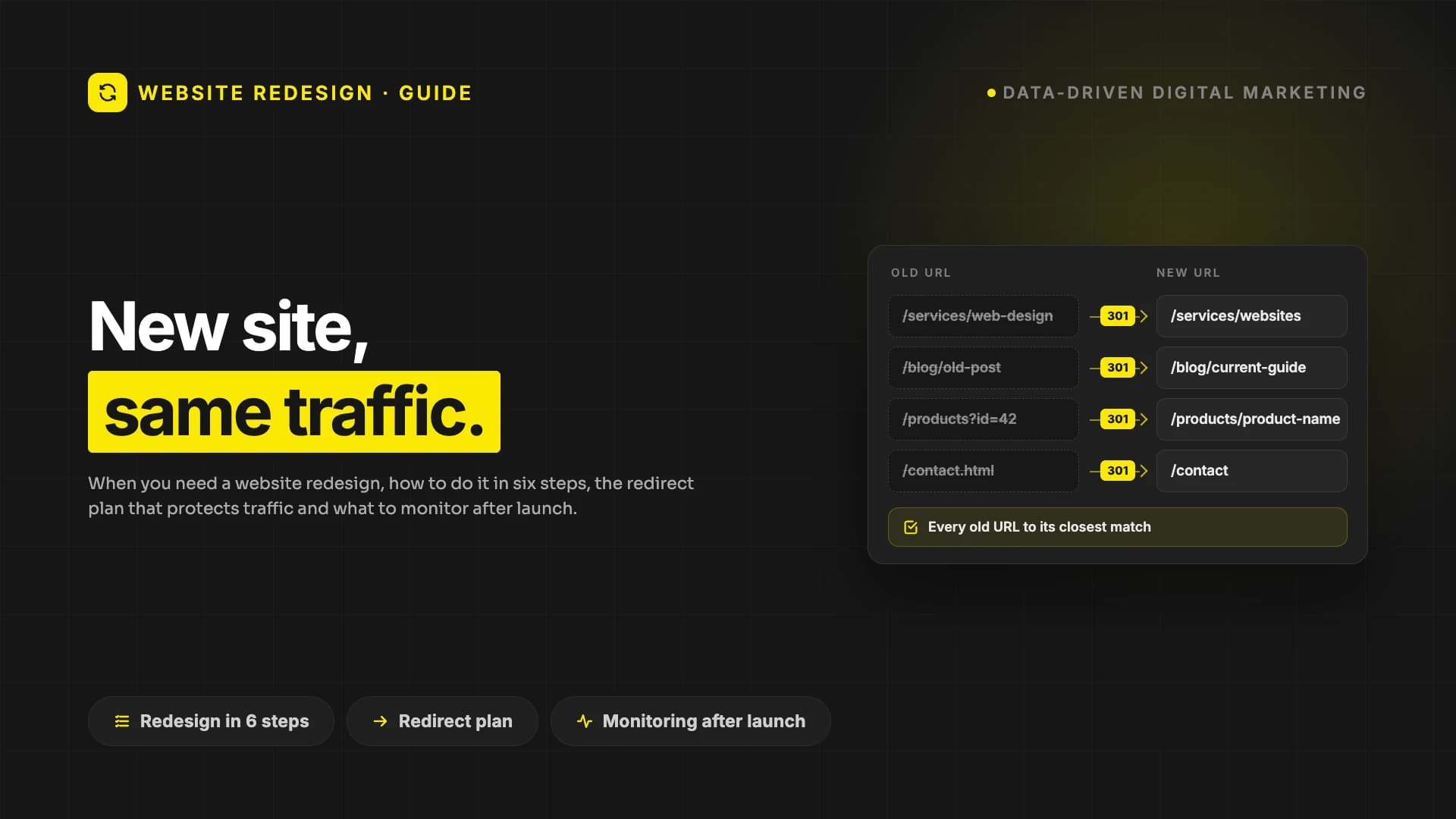
Where you can, do not change the URLs of valuable pages. Where a URL has to change, match each old URL one by one with the new URL that best covers its content. This redirect map is the most tedious but most valuable document in a redesign. If you have several old pages covering the same topic, a redesign is a good opportunity to merge them into one strong page.
4. Rebuild the design and the content
Design for the phone first. On most sites, the majority of visits come from phones; check this share in your own analytics. Be careful when cutting the copy on pages that bring in traffic: that copy is often exactly what makes the page findable in search. For the core principles of design, see our post on website design.
5. Test before launch
Before the new site goes live, check it in a staging environment:
- Does every old URL on the redirect map go to the right new URL?
- Do the forms, phone and WhatsApp buttons work, and do leads reach the right person?
- Are the analytics and ad tracking tags in place?
- Are page titles and descriptions in place, and do canonical tags point to the new URLs rather than the old ones?
- Has any noindex tag or robots.txt block added in staging been removed for go-live?
The last item is easy to miss and costly to get wrong: a single noindex tag or robots.txt block left over from staging can hide the entire new site from Google.
6. Launch and monitor the first few weeks
After launch, submit the new sitemap in Search Console; according to Google, submitting a sitemap can help make the discovery of new URLs quicker. If your domain has changed too, submit a Change of Address request for the old site in Search Console. Right after launch, test the URLs on your redirect map one by one; in the first few weeks, keep a close eye on 404 errors, redirects and the number of leads. Old URLs may keep appearing in Search Console reports for a while; as long as your valuable pages go to the right place, that is normal. According to Google, for a move to be complete, Googlebot has to visit every old and new URL at least once.
The key to protecting traffic: a redirect plan
One of the main causes of traffic loss after a redesign is not the design but old URLs left with no matching page. Google's site move guide is clear on this:
- Use permanent redirects: Google recommends permanent redirects such as 301 and 308.
- Avoid chains: An old URL should go straight to its final destination, with no hops in between.
- Keep redirects in place for a long time: According to Google, for as long as possible, generally at least 1 year.
- Be ready for fluctuation: Rankings may fluctuate temporarily during the move; for medium-sized sites, it can take a few weeks or more for the new URLs to replace the old ones.
Redirecting every old URL to the home page looks like an easy fix, but according to Google this can confuse visitors and might be treated as a soft 404 error. Each old URL should go to its closest match.
How long does a redesign take?
Three things determine the timeline: the number of pages, how much of the content will be rewritten, and whether the URLs change. A refresh where the URLs stay the same is done in a few weeks; on a large site whose platform and URLs change, the redirect plan and testing take up a significant part of the time.
Frequently asked questions
Does a website redesign hurt SEO?
If it is done without a plan, yes. If URLs are kept or redirected correctly, after a period of temporary fluctuation the new site can carry over much of the old site's value; a faster, better structured site can also deliver better results over time.
How often should a website be redesigned?
There is no set number of years. If the site is hard to use on a phone, if you cannot update it yourself, or if it no longer describes your business accurately, the time has come. Small improvements made along the way delay the need for a major redesign.
What happens if the domain changes?
A domain change is one of the types of site move that need the most care. Every old URL should go to its counterpart on the new domain with a permanent redirect such as a 301. Both the old and the new domain should be verified in Search Console, and a Change of Address request should be submitted for the old property.
Should I delete old blog posts?
Do not delete posts that get traffic or links. Merge weak posts that repeat each other into one strong post and redirect the old ones to it. Pages that get no traffic and add no value can be removed.
Where should I start a redesign?
By measuring your current site. A redesign done without knowing what works can break the things that do.
Next step
If you are thinking about redesigning your site, first measure where it stands today, then write down the goal. If you would like us to build your new site for a fixed price, with a written scope and a set delivery date, take a look at our website packages.
Your site may look great. Does it actually work?
PumpAudit scans your site across 10 layers and 95 checks: speed, SEO, AI visibility, security, email and conversion. Your score is free and takes a minute or two.