
What Is Lead Management? A 5-Step Process for Turning Enquiries into Sales
Lead management is the process of capturing every potential customer who reaches you through your website, ads or the phone, qualifying them and following them through to a sale. We explain where enquiries get lost, how to set up the process in five steps and which metrics you should track.
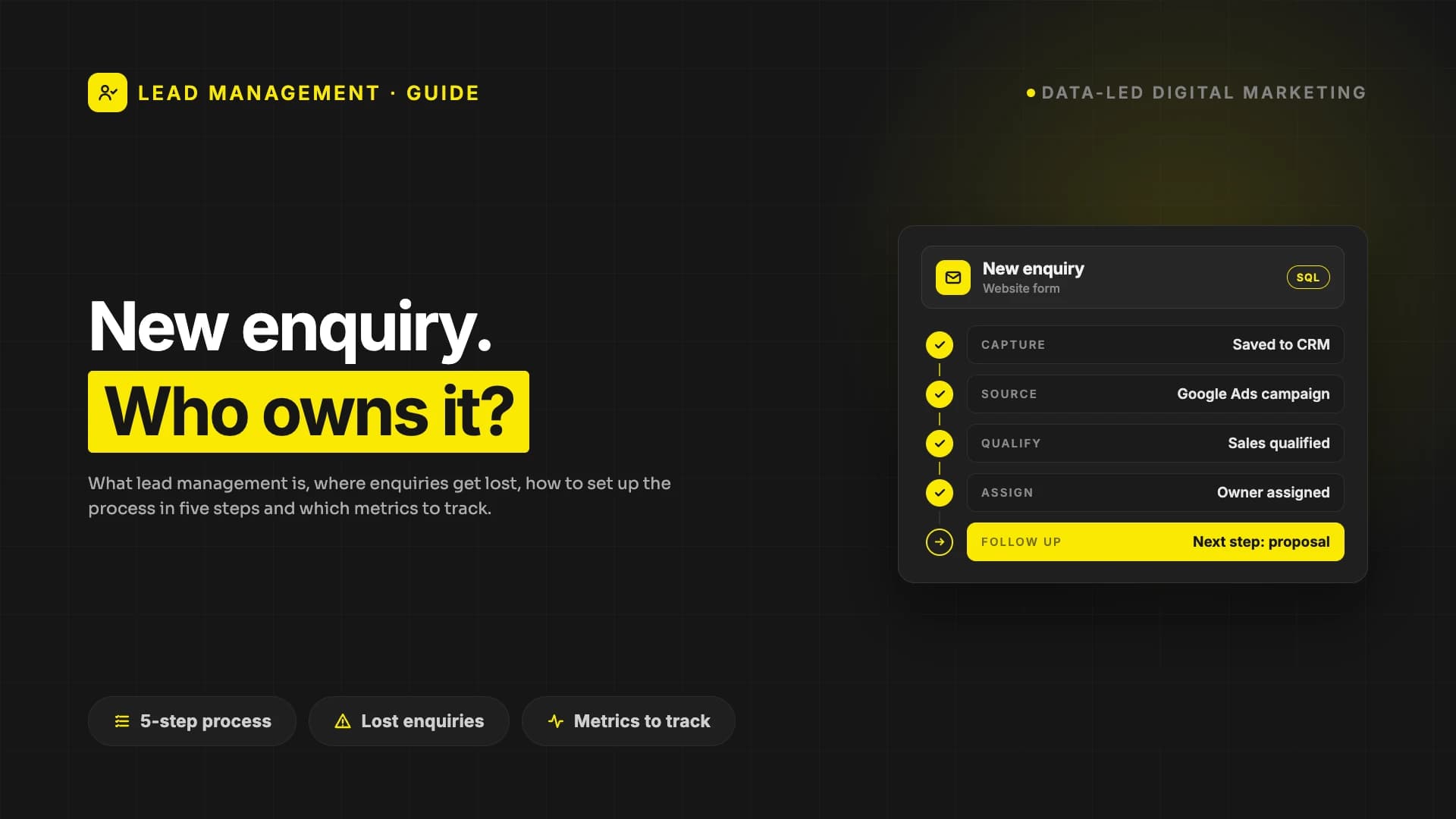
Lead management is the process of capturing every potential customer (lead) and enquiry that comes from your website, your ads, the phone or referrals, qualifying them and following them through to a sale. Its aim is simple: none of the enquiries you have spent effort and budget to win should go missing in an email inbox or a scribbled phone note.
In many companies the problem is not a lack of enquiries but that the enquiries coming in have no owner. In this post we explain when a lead counts as ready for sales, where enquiries usually get lost, how to set up lead management in five steps and which metrics you should track.
What is a lead, and when is it ready for sales?
A lead is a person or company that has shown interest in your product or service and left their contact details: anyone who fills in a form, asks for a quote, downloads a guide or calls you. But not every lead is at the same point. In practice, it helps to separate three stages:
- New lead: Has shown interest, but their need and timing are not clear yet.
- Marketing qualified lead (MQL): Fits your target audience and is seriously interested; for example, they have looked at your pricing page or engaged with more than one piece of your content.
- Sales qualified lead (SQL): Their need, budget and timing have been confirmed; they are ready to talk directly with your sales team.
How these stages are defined varies from company to company. What matters is that marketing and sales use the same definitions; otherwise marketing says "we brought in plenty of leads", sales says "none of them are any good", and both may be right.
Where do enquiries get lost?
In a company without lead management, enquiries usually get lost at these points:
- Form emails land in a shared inbox and nobody knows who should reply.
- Enquiries that come in by phone and WhatsApp are not recorded anywhere.
- Details collected through the ad platforms' own forms sit waiting on those platforms.
- Nobody knows which enquiry came from which campaign, so budget decisions are based on guesswork.
- Two different people reply to the same enquiry, or nobody does.
- Enquiries that were sent a proposal but did not close are never contacted again.
None of these problems can be solved with more advertising. A system that loses the enquiries it already gets will lose the extra ones too.
How to set up lead management in 5 steps
1. Capture every enquiry in one place
Every enquiry from website forms, ad forms, the phone, WhatsApp, email and events should land in the same place, ideally a CRM. Each record should include at least the person's and company's details, what the enquiry is about, the date it came in and the channel. For channels recorded by hand, such as the phone, the rule should be simple too: an enquiry goes into the system on the day it is received.
2. Record the source of every enquiry
You can only measure the value of an enquiry when you know where it came from. Add UTM campaign parameters to your campaign links; with these parameters, Google Analytics shows you which campaigns refer traffic in its Traffic acquisition report. The same information also needs to be carried into the form and the CRM record, so you can link not only the visit but also the enquiry, and later the sale, to its source. We explain how to check enquiry tracking on your site in our website audit guide.
3. Qualify and prioritise
Not every enquiry is equally urgent. Four questions are enough for a simple assessment: is the need clear, is there a budget, is the person you are talking to a decision maker, and when do they want to start? As the number of enquiries grows, turning this assessment into scoring speeds things up; we explain how to build a scoring model and which behaviours raise or lower a score in our HubSpot lead scoring post.
4. Assign to the right person and respond quickly
Every enquiry needs an owner. Set rules for who replies to which enquiry: by region, by service or in rotation. Set a target time for the first response and measure it. Interest is usually highest at the moment someone contacts you; the longer they wait, the more it can fade, and they may start looking at other options.
5. Follow up until the sale, and record what you lose
An enquiry should move through a sales process with clear stages: first meeting, needs analysis, proposal, decision. At every stage, the next step and its date should be written down. Record why opportunities were lost, too: price, timing, wrong target audience. This information improves both sales and marketing. Do not delete leads that are not ready yet; if you have their permission, keep the relationship going with regular, useful content.
Which metrics should you track?
A few metrics will show you whether your lead management is working:
- Leads by source: How many enquiries does each channel bring in?
- Qualified lead rate: What share of incoming enquiries is worth a sales conversation?
- First response time: How long does it take to make first contact after an enquiry comes in?
- Stage-to-stage conversion: At which stage of the process do enquiries get stuck?
- Sales won by source: Which channel brings in actual customers, not just leads?
- Cost per lead: Which channel brings in enquiries at a lower cost?
Of these metrics, the most valuable is often sales won by source: the channel that brings in the most leads is not always the one that brings in the most sales.
Personal data and consent
Details in a lead record, such as name, phone number and email address, are personal data. State clearly on your forms how the data will be used, and before you send marketing emails or messages, get the consent required by the data protection and e-marketing rules where you operate: for example, GDPR and the related ePrivacy rules for people in the EU, or KVKK and the commercial electronic message rules in Türkiye. Storing consent together with the lead record also makes it clear later on who you can send what to.
What tools do you need for lead management?
For a small number of enquiries, a well-kept spreadsheet can be enough to start with. But if enquiries come in through more than one channel, more than one person replies to them or your sales process takes several weeks, you need a CRM. We explain what to look for when choosing the right CRM in our CRM guide. Process comes before tools: if it is not clear who does what, and how quickly, even the best CRM turns into a messy spreadsheet.
Frequently asked questions
Is a lead the same as a prospect?
In everyday use, yes. Both terms are commonly used for a person or company that has shown interest and left their contact details but has not bought yet.
What is the difference between lead management and a CRM?
Lead management is a process; a CRM is the tool you run that process in. Alongside lead management, a CRM also covers your relationships with existing customers.
Who should run lead management?
Marketing and sales together. Marketing brings in the enquiry and does the first qualification; sales takes the qualified enquiry through to a result. Both teams need to use the same definitions and the same system.
Does a small company need lead management?
Yes, but it can be simple. One place to record enquiries, an owner for every enquiry and a target time for the first response reduce the number of lost enquiries, even in a small company.
How quickly should you respond to a lead?
As quickly as possible. The exact time varies by sector; what matters is that you set yourself a target, measure that time and improve it every month.
Next step
To get started with lead management, do one thing this week: list every enquiry you received in the past month and write down who replied to each one, and when. The empty rows show you where to start. If you would like us to set up a single system for your enquiries, take a look at PumpCRM, the CRM module of PumpGrowthOS, which captures, scores and tracks every lead from your site, ads and referrals, from first click to closed deal.
Your site may look great. Does it actually work?
PumpAudit scans your site across 10 layers and 95 checks: speed, SEO, AI visibility, security, email and conversion. Your score is free and takes a minute or two.